

Understanding Spec-Driven-Development: Kiro, spec-kit, and Tessl
- Spec-first: A well thought-out spec is written first, and then used in the AI-assisted development workflow for the task at hand.
- Spec-anchored: The spec is kept even after the task is complete, to continue using it for evolution and maintenance of the respective feature.
- Spec-as-source: The spec is the main source file over time, and only the spec is edited by the human, the human never touches the code.
A spec is a structured, behavior-oriented artifact – or a set of related artifacts – written in natural language that expresses software functionality and serves as guidance to AI coding agents. Each variant of spec-driven development defines their approach to a spec’s structure, level of detail, and how these artifacts are organized within a project.
There is a useful difference to be made I think between specs and the more general context documents for a codebase. That general context are things like rules files, or high level descriptions of the product and the codebase. Some tools call this context a memory bank, so that’s what I will use here. These files are relevant across all AI coding sessions in the codebase, whereas specs only relevant to the tasks that actually create or change that particular functionality.
kepler.gl
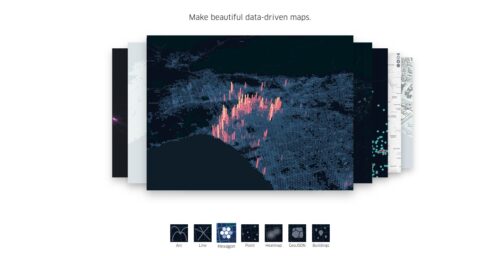
Kepler.gl is a powerful open source geospatial analysis tool for large-scale data sets.
Unlocking Multilingual Menus: How to Make Your WordPress Full-Site-Editing Navigation Translatable with Polylang!
Polylang is a fantastic tool for creating multilingual WordPress sites, but it isn’t fully integrated with Full Site Editing (FSE) and Block themes. The traditional WordPress menus are absent in FSE and have been replaced with navigation blocks linked to wp_navigation posts. While Polylang offers some compatibility with FSE, the removal of classic menu functionality leaves users without a straightforward solution for translating navigation content. Additionally, navigation content is stored only in the database, making it impossible to embed directly in the theme’s code translating through WordPress’s native internationalization (i18n) features.
Making the navigation menus of a WordPress site translatable with the Polylang plugin can be achieved in just fifty lines of code. Here’s a step-by-step guide.
OpenMapTiles. Open-source maps made for self-hosting
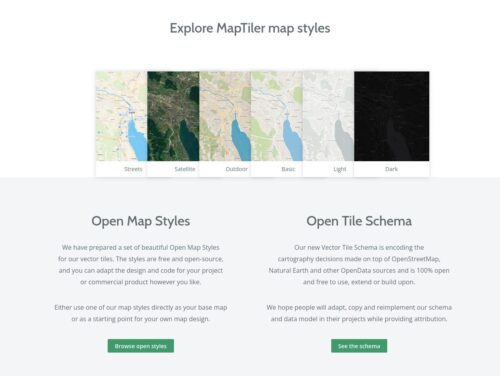
Open-source maps and schema
Host the world maps on your own server or private cloud.
Generate your own vector tiles from selected
OpenStreetMap tags or your geospatial data.
MapLibre GL JS
The open-source TypeScript library for publishing interactive, GPU-accelerated maps on the web.
MapLibre GL JS is a TypeScript library that renders interactive maps from vector tiles and MapLibre Style Specification directly in the browser, using WebGL and soon WebGPU for exceptional performance.
React Router. Picking a Mode
React Router is a multi-strategy router for React. There are three primary ways, or «modes», to use it in your app. Across the docs you’ll see these icons indicating which mode the content is relevant to:
Framework
Data
Declarative
The features available in each mode are additive, so moving from Declarative to Data to Framework simply adds more features at the cost of architectural control. So pick your mode based on how much control or how much help you want from React Router.

Starting Applications Automatically After Reboot Using PM2
To create a startup script for PM2, we will use the pm2 startup command, which identifies the init system as systemd and generates a setup command:
$ pm2 startup
[PM2] Init System found: systemd
[PM2] To setup the Startup Script, copy/paste the following command:
sudo env PATH=$PATH:/usr/bin /usr/local/lib/node_modules/pm2/bin/pm2 startup systemd -u labenv --hp/home/labenv
Who Needs to Comply with EU Accessibility Laws? A Quick Guide for 2025 and Beyond
Two key directives enforce accessibility standards in the EU:
- Directive (EU) 2016/2102 – The Web Accessibility Directive
- Applies to public sector websites and mobile apps.
- Requires compliance with WCAG 2.1 AA since 2021.
- Full text of Directive 2016/2102
- Directive (EU) 2019/882 – The European Accessibility Act
- Extends requirements to many private sector services/products.
- Mandatory compliance with WCAG 2.1 AA and EN 301 549 as of 28 June 2025.
- Full text of Directive 2019/882
La web está empezando a hablar en «agéntico»
Durante dos décadas, las empresas aprendieron que la visibilidad dependía de ser legibles para los motores de búsqueda. Lo que emerge ahora es más exigente. Ya no basta con ser indexable. Hay que ser utilizable.
Eso no convierte a llms.txt en un truco mágico de posicionamiento. No lo es. Es más bien higiene digital para un mundo en el que cada vez más descubrimiento, resumen y recomendación están mediadas por sistemas de inteligencia artificial. El objetivo no es engañar a un algoritmo. Es reducir la confusión de las máquinas. Y esa diferencia es clave.
Muchas empresas siguen tratando la inteligencia artificial como una capa adicional sobre la web: un chatbot en atención al cliente, algo de contenido generado en marketing, un asistente en la app. Esa visión es superficial.
La web original conectaba documentos. La web de plataformas conectó usuarios y servicios. La siguiente conectará agentes, herramientas, comercios, sistemas de pago e identidades verificadas. Y cuando eso ocurre, la pregunta estratégica cambia: ya no es solo «¿cómo llevo usuarios a mi web?» Pasa a ser «¿cómo hago que mi empresa sea comprensible, fiable y accionable para los sistemas que cada vez se interponen entre yo y mis clientes?»
How to Configure Browser Caching
Browser caching is one of the most effective ways to improve website performance. By storing static assets locally on the user’s device, you can dramatically reduce page load times and decrease server load.
htmx. High power tools for HTML
htmx gives you access to AJAX, CSS Transitions, WebSockets and Server Sent Events directly in HTML, using attributes, so you can build modern user interfaces with the simplicity and power of hypertext
htmx is small (~16k min.gz’d), dependency-free, extendable & has reduced code base sizes by 67% when compared with react
motivation
Why should only &
Vite. The Build Tool for the Web
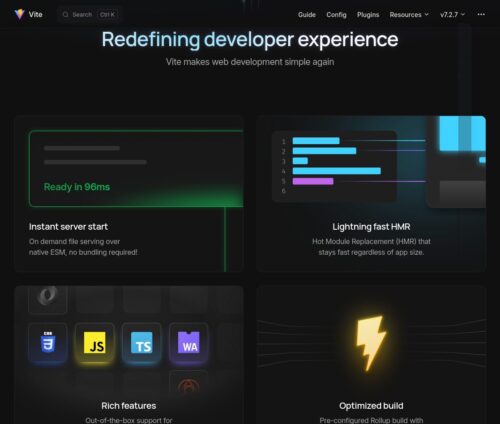
Vite is a blazing fast frontend build tool powering the next generation of web applications.
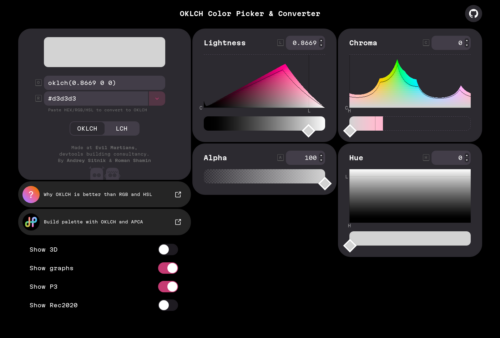
OKLCH in CSS: why we moved from RGB and HSL
oklch() is a new way to define CSS colors. In oklch(L C H) or oklch(L C H / a), each item corresponds as follows:
Lis perceived lightness (0–1). “Perceived” means that it has consistent lightness for our eyes, unlikeLinhsl().Cis chroma, from gray to the most saturated color.His the hue angle (0–360).ais opacity (0–1or0–100%).
The benefits of OKLCH:
- OKLCH frees designers from the need to manually choose every color. Designers can define a formula, choose a few colors, and an entire design system palette is automatically generated.
- OKLCH can be used for wide-gamut P3 colors. For instance, new devices (like those from Apple) can display more colors than old sRGB monitors, and we can use OKLCH to specify these new colors.
- Unlike
hsl(), OKLCH is better for color modifications and palette generation. It uses perceptual lightness, so no more unexpected results, like we had withdarken()in Sass. - Further, with its predictable lightness, OKLCH provides better a11y.
- Unlike
rgb()or hex (#ca0000), OKLCH is human readable. You can quickly and easily know which color an OKLCH value represents simply by looking at the numbers. OKLCH works like HSL, but it encodes lightness better than HSL.
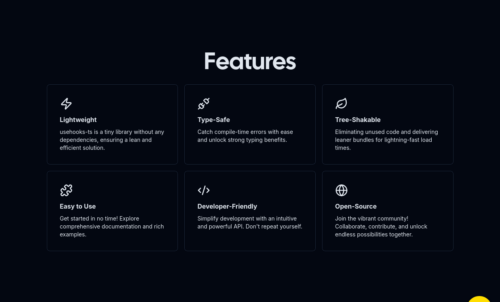
20 Essential Next.js Hooks That Power 90% of Modern Components
Modern Next.js applications are built on a robust foundation of React and Next.js-specific hooks. These hooks help manage state, handle routing, perform data fetching, and more — all while keeping your components clean and performant. In this post, we’ll explore 20 powerful hooks that are used across most Next.js projects and explain how to use them effectively.
The /llms.txt file
A proposal to standardise on using an /llms.txt file to provide information to help LLMs use a website at inference time.
Large language models increasingly rely on website information, but face a critical limitation: context windows are too small to handle most websites in their entirety. Converting complex HTML pages with navigation, ads, and JavaScript into LLM-friendly plain text is both difficult and imprecise.
While websites serve both human readers and LLMs, the latter benefit from more concise, expert-level information gathered in a single, accessible location. This is particularly important for use cases like development environments, where LLMs need quick access to programming documentation and APIs.
We propose adding a /llms.txt markdown file to websites to provide LLM-friendly content. This file offers brief background information, guidance, and links to detailed markdown files.
Advanced Shadcn Table: Server-Side Sort, Filter, Paginate
Use Shadcn table for React, with server-side sorting, filtering & pagination for large datasets. Built with TanStack Table, Next.js and TailwindCSS.
Shadcn Table provides a pre-built, customizable data table component for React applications built with Next.js, Tailwind CSS, and shadcn/ui. It leverages TanStack Table for core table logic and handles server-side pagination, sorting, and filtering. This setup allows developers to manage large datasets efficiently and offer a smooth user experience, especially in data-heavy applications.
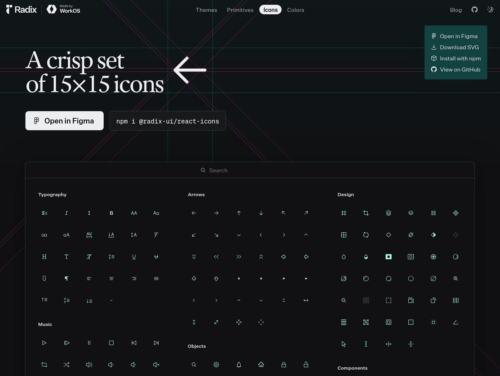
Radix UI
An open source component library optimized for fast development, easy maintenance, and accessibility. Just import and go—no configuration required.
Shadcn. The Foundation for your Design System
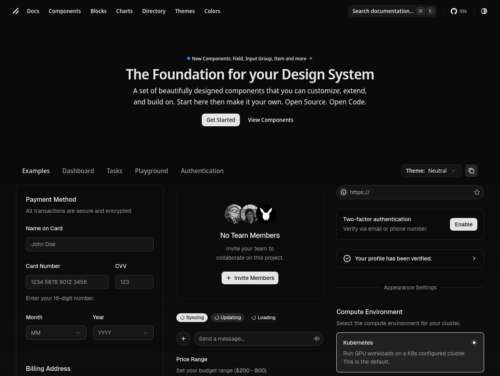
A set of beautifully designed components that you can customize, extend, and build on. Start here then make it your own. Open Source. Open Code.
What is an ORM, how does it work, and how should I use one?
Object-Relational Mapping (ORM) is a technique that lets you query and manipulate data from a database using an object-oriented paradigm. When talking about ORM, most people are referring to a library that implements the Object-Relational Mapping technique, hence the phrase «an ORM».
An ORM library is a completely ordinary library written in your language of choice that encapsulates the code needed to manipulate the data, so you don’t use SQL anymore; you interact directly with an object in the same language you’re using.
Sutty CMS
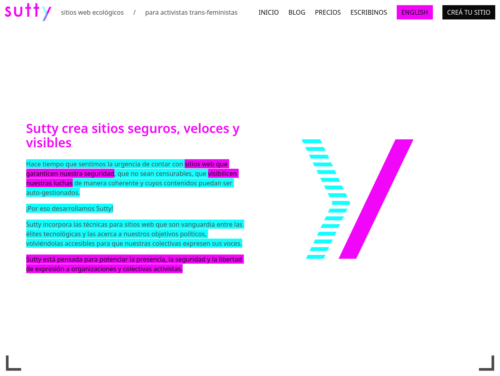
Hace tiempo que sentimos la urgencia de contar con sitios web que garanticen nuestra seguridad, que no sean censurables, que visibilicen nuestras luchas de manera coherente y cuyos contenidos puedan ser auto-gestionados.
¡Por eso desarrollamos Sutty!
Sutty incorpora las técnicas para sitios web que son vanguardia entre las élites tecnológicas y las acerca a nuestros objetivos políticos, volviéndolas accesibles para que nuestras colectivas expresen sus voces.
Sutty está pensada para potenciar la presencia, la seguridad y la libertad de expresión a organizaciones y colectivas activistas.
Sutty Cooperativa Tecnológica
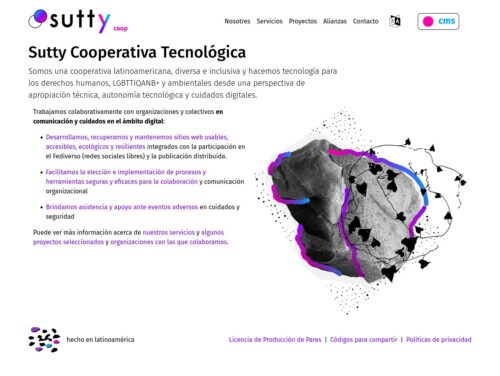
Somos una cooperativa latinoamericana, diversa e inclusiva y hacemos tecnología para los derechos humanos, LGBTTIQANB+ y ambientales desde una perspectiva de apropiación técnica, autonomía tecnológica y cuidados digitales.
A Leaflet Developer’s Guide to High-Performance Map Visualizations in React
When I tried to render around 40k Geojson objects in Leaflet’s canvas mode, it took around 30 seconds to render the map. When I used Leaflet’s GeoJSON, instead of React Leaflet GeoJSONs, initial rendering took a few seconds. The response from the library maintainer was that React Leaflet is an additional abstraction and it’s expected that rendering is less performant. My first advice would be avoid leaning solely on this library.
While Leaflet’s canvas mode is an option, rendering over 100k objects stretches its limits. Fortunately, there are solutions that perform very well with large amounts of data, such as WebGL rendering engines and Vector Tiles. Leaflet doesn’t support WebGL or Vector Tiles out of box, but its plugins bridge the gap.
Leaflet.markercluster seems like a go-to solution, yet its performance falters beyond 100k markers. For a leap in performance, consider supercluster.
LeafletJS & React Leaflet
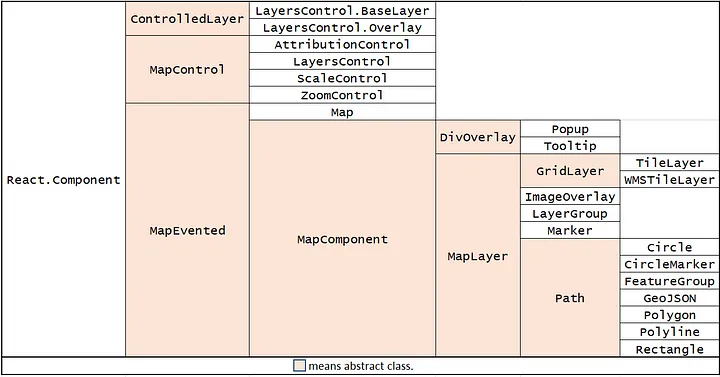
Since React takes a focused approach to developing a component-based user interface, the react-leaflet was created with the same logic. Class hierarchy is as follows:
Turn an Entire DIV into a Clickable Link
Here we assign an absolute position to the inner <a> tag such that it occupies the entire DIV and we also set the z-index property to 10 to position the link above all the other elements in the DIV. This is the easiest approach and the semantic structure is maintained.
div.box {
   position: relative;
   width: 200px;
   height: 200px;
   background: #eee;
   color: #000;
   padding: 20px;
}

div.box:hover {
   cursor: hand;
   cursor: pointer;
   opacity: .9;
}

a.divLink {
   position: absolute;
   width: 100%;
   height: 100%;
   top: 0;
   left: 0;
   text-decoration: none;
   /* Makes sure the link doesn't get underlined */
   z-index: 10;
   /* raises anchor tag above everything else in div */
   background-color: white;
   /*workaround to make clickable in IE */
   opacity: 0;
   /*workaround to make clickable in IE */
   filter: alpha(opacity=0);
   /*workaround to make clickable in IE */
}
Modify relationship select field labels
add_filter( 'pods_field_pick_data_ajax_items', 'custom_pods_labels_in_pick_field_ajax', 1, 6 );
add_filter( 'pods_field_pick_data', 'custom_pods_labels_in_pick_field_data', 1, 6 );

function custom_pods_labels_in_pick_field_ajax($items, $name, $value, $options, $pod, $id) {
    if ( 'FIELDNAME' == $name ) {
        foreach ( $items as $key => &$data ) {
            if ( isset( $data['id'] ) ) {
                $data['text'] = custom_pods_select_field_label( $data['id'] );
                $data['name'] = $data['text'];
            }
        }
    }
    return $items;
}


function custom_pods_labels_in_pick_field_data($items, $name, $value, $options, $pod, $id) {
    // pods_meta_ prefix for Pods backend, pods_field_ prefix for front-facing Pods form
    if ( 'pods_meta_FIELDNAME' === $name || 'pods_field_FIELDNAME' === $name ) {
        if ( ! empty( $items ) && is_array( $items ) ) {
            foreach ( $items as $key => $item ) {
                if ( isset( $item['id'] ) ) {
                    $data['text'] = custom_pods_select_field_label( $data['id'] );
                    $data['name'] = $data['text'];
                } elseif ( is_numeric( $key ) && ! is_array( $item ) ) {
                    $items[ $key ] = custom_pods_select_field_label( $key );
                }
            }
        }
    }

    return $items;
}

function custom_pods_select_field_label( $id ) {
    // You can return anything you want here.
}
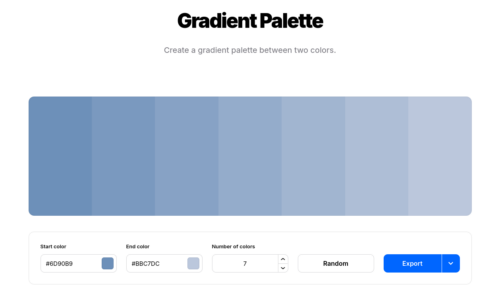
margins-paddings-sass-mixin
A sass mixin to create a bunch of margin and padding classes
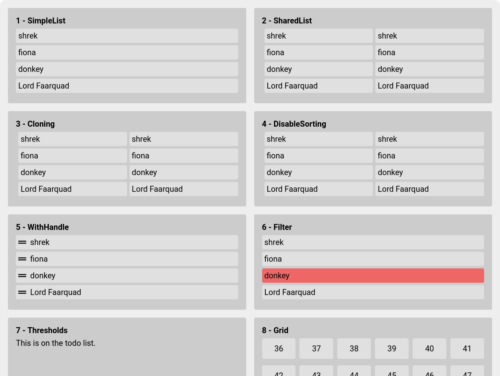
How to Build a Dynamic Wardrobe App with React Drag and Drop
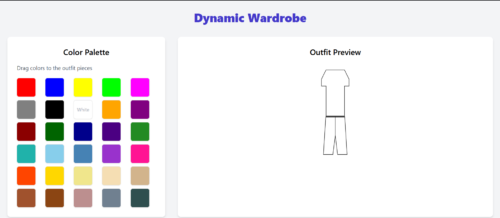
In this tutorial, we’ll build a dynamic wardrobe app using React. You’ll learn to structure components, handle drag-and-drop interactions, and craft a smooth user experience.
Spain map with D3
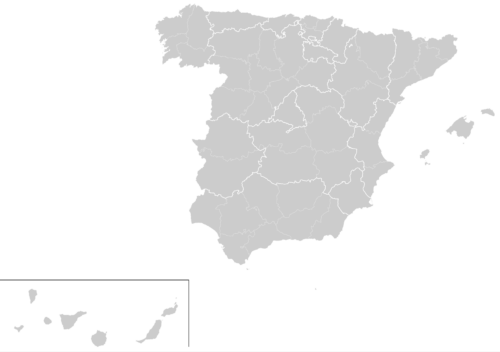
Since we will manage files and dependencies we choose Flask for a quick example. Any other framework could be used, it only consist on importing correctly all libraries.
The libraries used are the following:
Jquery: Common library used almost for anything. (Desc)
Jquery UI: Visual extension for Jquery (Desc, in this case used to create the time slider. We also add another extension (Ui slider pips) to this slider to customize even more.
D3: D3.js is a JavaScript library for manipulating documents based on data. D3 helps you bring data to life using HTML, SVG, and CSS. In this case we use to create a map of Spain. More examples of D3 here.
D3 composite: Extension of D3 that allow to create proyections of maps. For example, in the case of Spain since the canary islands are far away from the peninsula, only using D3 we have a really off center map. This library also provides Spain provinces limits . Important: This library only works with the current set of Jquery and D3 version, if you want to use other versions, check the docs page.
Simple Redirects with .htaccess
Redirect Syntax
This is the basic syntax for redirects written using the mod_alias redirect directive in Apache:
Redirect [status] URL-path URL- Make sure you capitalize the
RinRedirector it won’t work. Everything is case sensitive. - The status is optional and is usually a number indicating the HTTP status code you want to deliver to the browser. You can use the word
permanentin the place of301, ortempin the place of302. If not provided, then302will be used as the default. - The URL-path is required and is always a path relative to the site root, not the location of the
.htaccessfile. - The URL is required and is either a path relative to the site root, assuming the redirect is within the same site, or an absolute URL if the redirect points to another site.
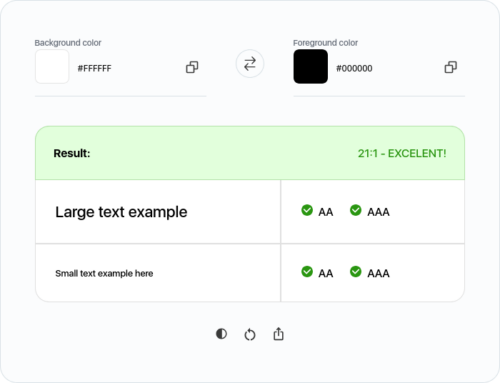
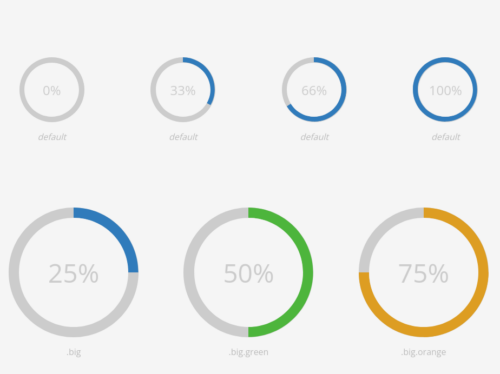
Milligram. A minimalist CSS framework
Milligram provides a minimal setup of styles for a fast and clean starting point. Just it! Only 2kb gzipped! It’s not about a UI framework. Specially designed for better performance and higher productivity with fewer properties to reset resulting in cleaner code. Hope you enjoy!