
How to Check Filesystem Type in Linux

A Linux filesystem type tells you how data is organized inside a mounted path, partition, logical volume, USB drive, ISO image, or filesystem image. Common types include ext4, xfs, btrfs, vfat, ntfs, tmpfs, squashfs, iso9660, and swap.
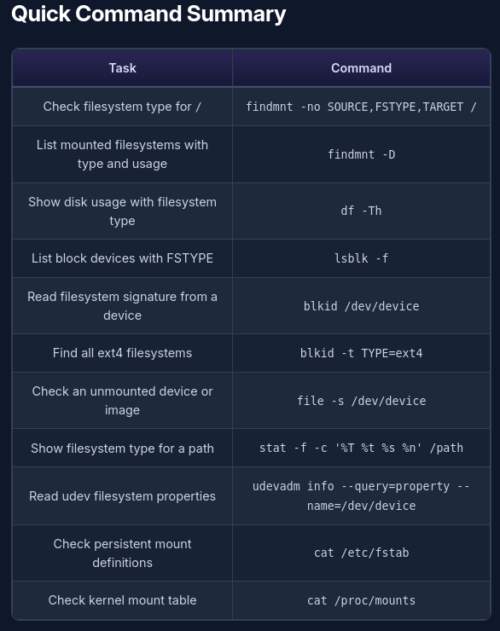
The best command depends on what you are checking:
Check mount-point usage and filesystem types with df; the df and du covers -h, -T, and filtering pseudo-filesystems.
For a mounted path, use findmnt or df -T.
For a disk, partition, LVM volume, or USB drive, use lsblk -f or blkid.
For an unmounted device or filesystem image, use blkid or file -s.
For persistent mount configuration, check /etc/fstab.
For the currently mounted kernel view, check /proc/mounts or use findmnt.
The examples below were tested on an Ubuntu 25.04 host. The system uses an ext4 root filesystem on LVM, an ext4 /boot partition, tmpfs for /tmp, and an ISO9660 VirtualBox Guest Additions image mounted under /media.